TIMESHEET MANAGEMENT
Time Tracking That Doesn't Feel Like A Tax
Three ways to log hours, automatic approvals, and zero double-entry. Because the only timesheet that gets billed is the one that actually gets filled.
Three ways to log time. Pick what fits.
Mobile entry
Native iOS and Android apps. Log time on the go, attach receipts, capture mileage with GPS — even offline.
Calendar view
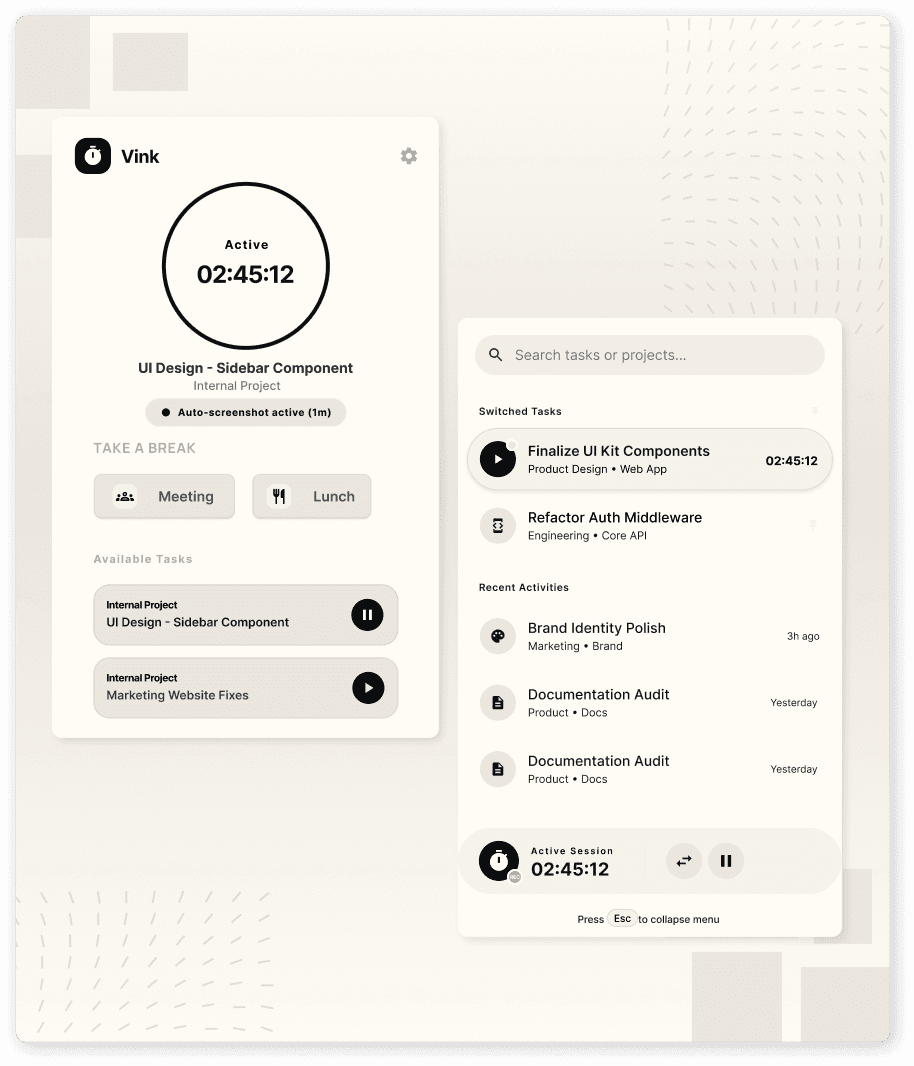
Start a timer from any task, in the app, browser extension, or mobile. Switch tasks without losing time. Idle detection prompts you when you've stepped away.
Weekly grid
Open a Monday-to-Sunday grid, fill in hours by task, hit submit. Familiar, fast, and forgiving — paste from spreadsheets if you must.
Calendar capture
Connect Google Calendar or Outlook. Convert meetings into time entries with one click. Map recurring meetings to projects automatically.
Approvals without the chasing.
Configure approval workflows that match your reality. A consultant's hours go to their project manager. An engineer's hours go to their team lead. A contractor's hours go to the client first, then your finance team. Kairo routes each timesheet to the right approver, sends polite reminders, and gives finance a single view of what's still outstanding.
1.Auto-submission.
Auto-submit at the end of each week — with or without manager approval, your call.
2.Overtime engine.
Define overtime rules by jurisdiction: daily, weekly, double-time, holiday rates.
3.Anomaly detection.
Built-in checks for missing days, suspicious totals, billable/non-billable misclassification, and policy violations.
4.Audit-ready logs.
Lock submitted weeks. Edits require manager re-approval. Every change is logged with who, when, and why.
5.Time categories.
Tag time as billable, non-billable, internal, or training. Each maps to different downstream behavior.
Realization
Billed value vs logged value.
Utilization
By person, team, role — billable vs available.
Project burn
Hours logged vs hours budgeted, in real time.
Compliance Exports
Compliance exports for payroll, statutory filings, and client audits.
Client billing summary
Exactly what's been logged, approved, and is ready to invoice.
Compliance built in.
Tasks are the "how." Goals are the "why." Set quarterly OKRs at the company, team, or person level. Link tasks and projects to goals so progress on the work updates progress on the outcome — automatically.